Managing Your Subscription
How to start a trial, subscribe to a plan, manage billing, and understand what happens when your trial expires.
Oeave uses a subscription model with a free trial on every plan. This guide covers the full lifecycle — from starting your trial to managing an active subscription.
Starting a trial
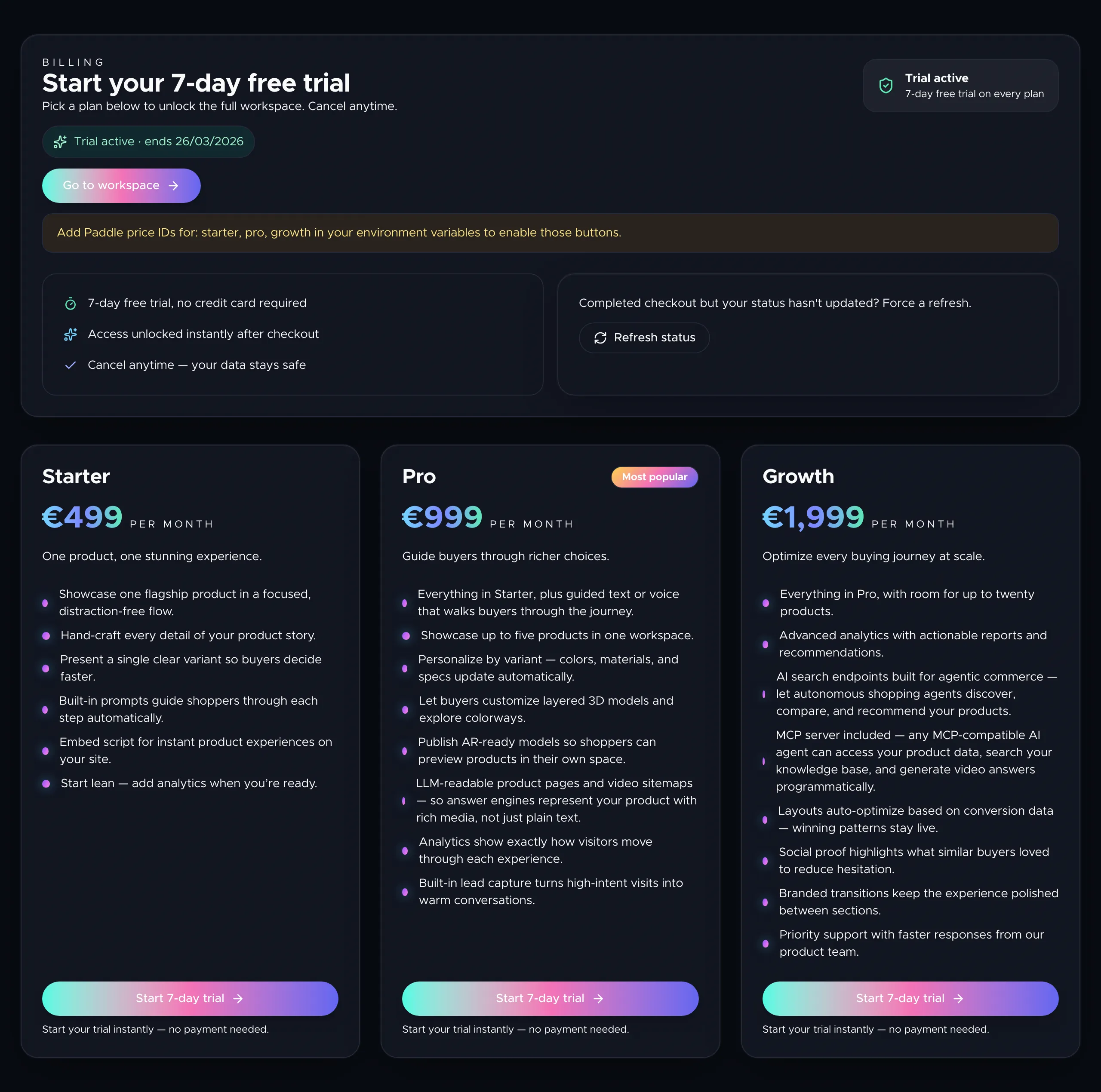
When you first log in to the dashboard, you're presented with the available plans. Click Start trial on any plan to begin a 14-day free trial with no credit card required.
Your trial starts immediately and you get full access to all features included in the plan you chose. A trial badge appears in your billing summary showing how many days remain.
Subscribing
When you're ready to subscribe, visit the Subscribe page (linked from your dashboard if your trial is active, or shown automatically if it has expired). Click a plan to start checkout through Paddle — Oeave's payment processor.
After checkout completes, your subscription status updates automatically. If there's a delay, use the Refresh status button on the subscribe page to force a sync.
What happens when a trial expires
If your trial ends without subscribing:
- You can still log in and view your projects.
- Editing is read-only — you can see your fibers and threads but can't make changes.
- Published Weaves continue to work for your visitors.
- To resume editing, subscribe to any plan.
Managing your billing
Go to Settings in the top navigation, then scroll to the Billing section. Here you can see:
- Your current plan tier and subscription status.
- Trial end date or renewal date.
- A link to the Paddle billing portal.
Click Manage billing to open the Paddle portal, where you can:
- Update your payment method.
- Download invoices.
- Change your plan.
- Cancel your subscription.
Upgrading your plan
You can upgrade at any time from the billing portal. The new plan takes effect immediately and your billing is prorated. Upgrading unlocks higher limits — more projects, more features, and access to advanced analytics and AI suggestions.
Next steps
For a breakdown of what each plan includes, see Plans and Pricing. To manage your profile and password, see Account Settings.