Account Settings
How to manage your profile, change your password, and access billing from the account settings page.
The account settings page is where you manage everything about your Oeave account — your display name, password, and subscription billing. Open it by clicking Settings in the top navigation bar.
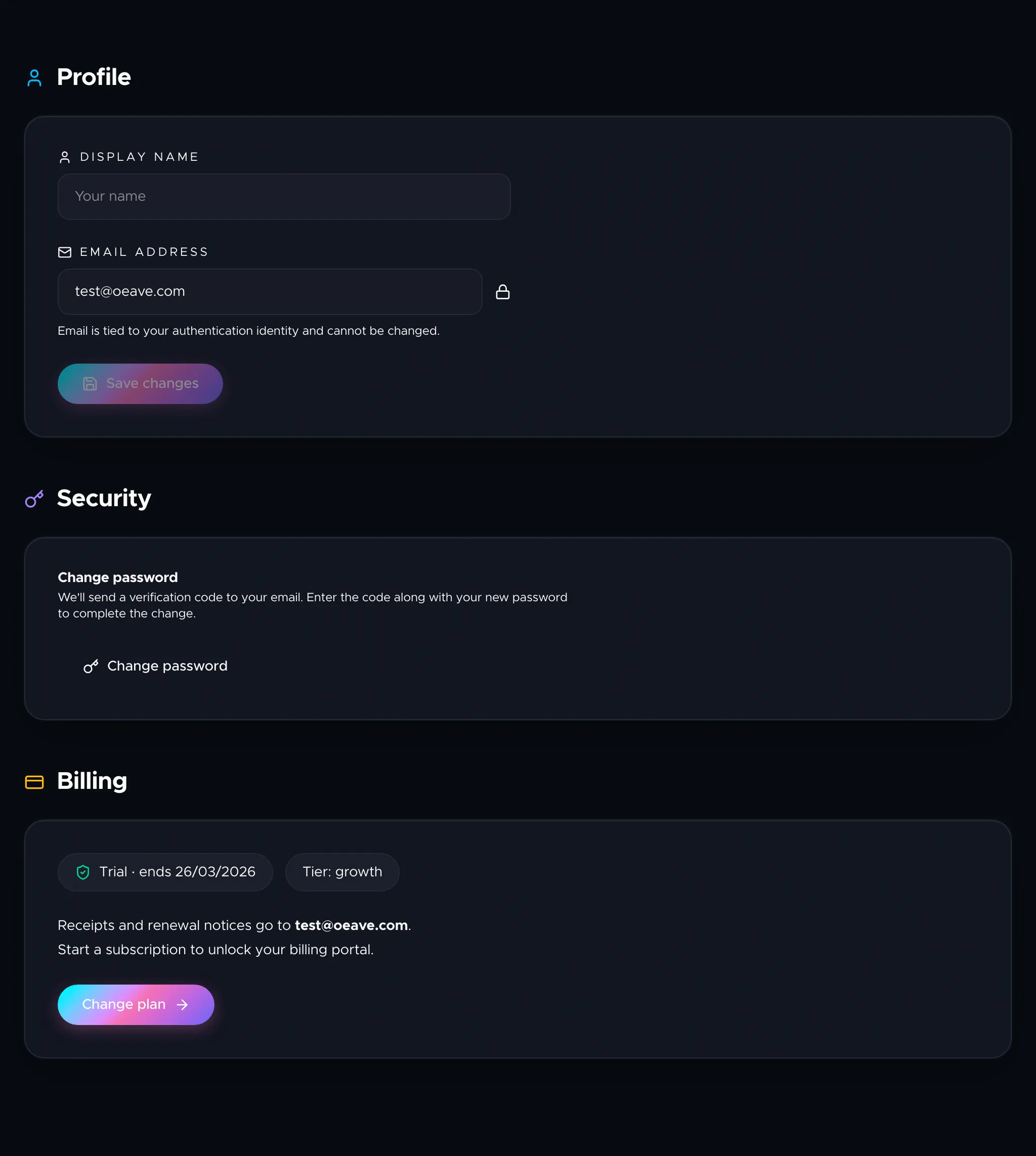
Profile
Your display name appears in the header and is used when Oeave references you throughout the platform. Change it any time and click Save changes.
Your email address is shown below the name field but cannot be changed — it's tied to your authentication identity. If you need to switch email addresses, contact support.
Security
To change your password:
- Click Change password in the Security section.
- Oeave sends a verification code to your email address.
- Enter the code and your new password (minimum 8 characters, including uppercase, lowercase, and a number).
- Click Update password.
The new password takes effect immediately. You'll stay signed in on your current session.
Billing
The billing section shows your current subscription status:
- Trial active — your free trial is running, with the end date displayed.
- Subscription active — your paid plan is active, with the renewal date shown.
- Trial expired / Subscription required — you need to subscribe or renew.
Your plan tier (Starter, Pro, or Growth) is shown alongside the status.
Click Manage billing to open the Paddle billing portal, where you can update your payment method, download invoices, or change your plan. If you don't have an active subscription, the button takes you to the subscribe page to choose a plan.
Next steps
For details on what each plan includes, see Plans and Pricing. To manage individual project settings (rename, delete, API keys), go to the project's Settings tab — covered in Project Settings.